

USPS Tracking – How To Use USPS Tracking for Mail and Package Deliveries
UnknownFeb 20, 2024
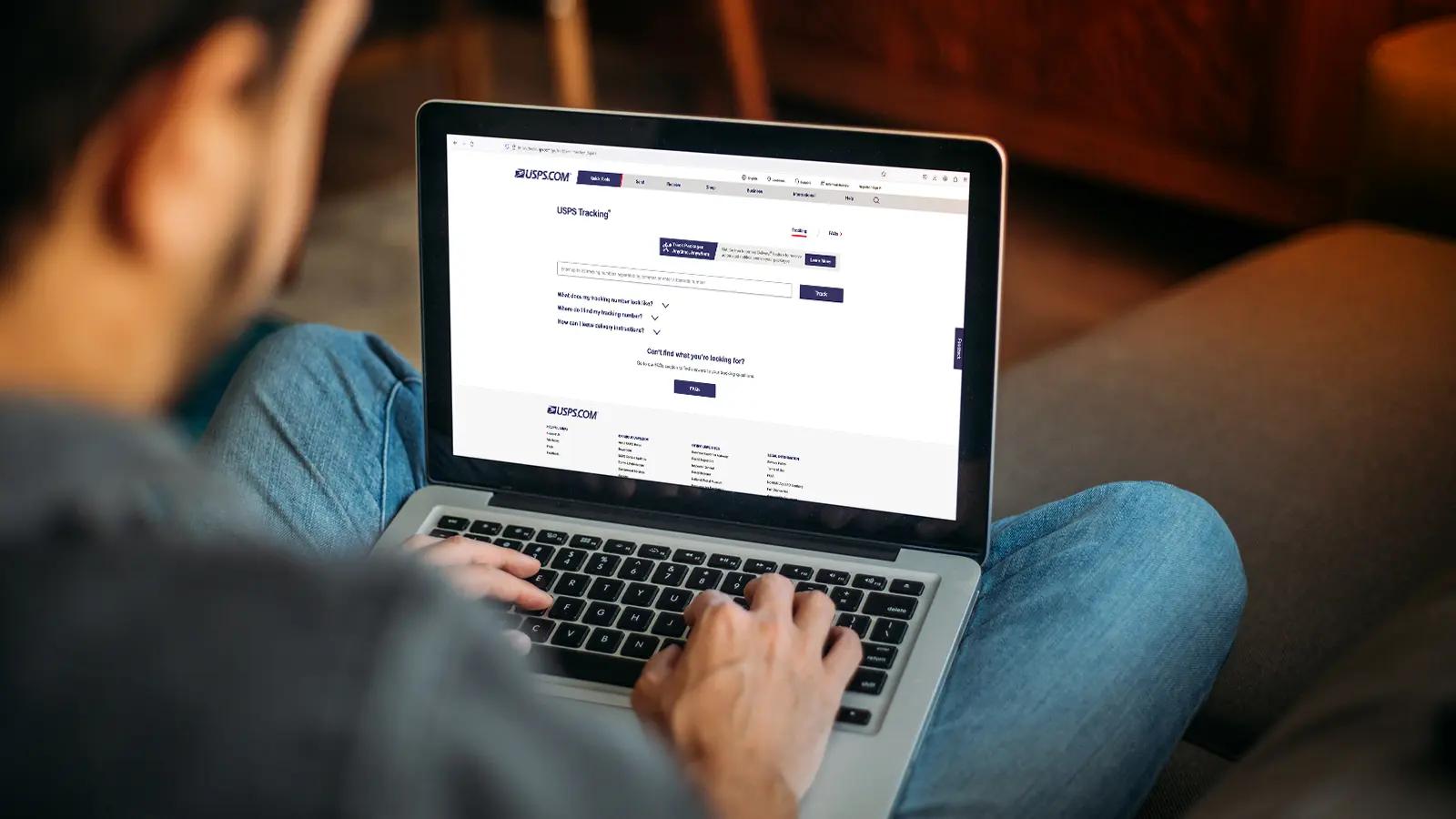
If you’re expecting a letter from a friend or a package from your favorite online shop, it’s understandable that you’ll want to monitor its progress as it travels along the “postal highways” on its way to you. This is made easy with the help of the USPS Tracking system. This mail service allows you to monitor a mail piece’s journey through the mailstream.
In this blog, we’ll dive deep into the basics of USPS Tracking and how to use it. We’ll get to know tracking numbers, what delivery statuses mean, and outline what you can do when your mail’s status has not changed.
What is USPS Tracking?
USPS Tracking allows you to monitor where your mail is as it moves through the postal service system. It’s available for most domestic mail products that USPS offers and that are addressed to domestic locations such as an Army Post Office, Fleet Post Office, Diplomatic Post Office, and to ZIP codes in U.S. territories.
International mail can also come with USPS tracking, however, not all do since some restrictions may apply to specific destinations.
What Mail Types Come with USPS Tracking?
Most domestic mail classes and several international mail types come with USPS Tracking:
These include Priority Mail (domestic or international), Priority Mail Express (domestic or international), Certified Mail, and Registered Mail.
There are also mail types that are not included in the USPS Tracking system:
Postcards, First-Class mail letters and flats, periodicals, and USPS Marketing Mail may not have USPS Tracking.
USPS Tracking may be included with Marketing Mail or with other mail classes by requesting Extra Services. For example, you can ask your post office to include USPS Tracking with your First-Class mail.
What Mail Types Come with USPS Tracking?
Most domestic mail classes and several international mail types come with USPS Tracking:
These include Priority Mail (domestic or international), Priority Mail Express (domestic or international), Certified Mail, and Registered Mail.
There are also mail types that are not included in the USPS Tracking system:
Postcards, First-Class mail letters and flats, periodicals, and USPS Marketing Mail may not have USPS Tracking.
USPS Tracking may be included with Marketing Mail or with other mail classes by requesting Extra Services. For example, you can ask your post office to include USPS Tracking with your First-Class mail.
How Does USPS Tracking Work?

Each mail piece, like Priority Mail or Priority Mail Express, comes with a shipping label that the postal service scans. While the mail moves throughout the mailstream, this label is regularly scanned and the information is made available on the USPS Tracking page.
The shipping label of each mail piece contains its unique USPS tracking number.
Scanning of each shipping label happens at several points in the mail’s journey, from when the shipping partner receives the mail until it reaches your local post office and is finally delivered to you or to the recipient.
The postal service provides a USPS tracking page where you can enter this number in order to get the status of your mail or package.
Throughout a letter or package’s journey, tracking information like current status, tracking history, delivery or attempted delivery details, and delivery location of the item are made available on the USPS Tracking page.
The shipping label of each mail piece contains its unique USPS tracking number.
Scanning of each shipping label happens at several points in the mail’s journey, from when the shipping partner receives the mail until it reaches your local post office and is finally delivered to you or to the recipient.
The postal service provides a USPS tracking page where you can enter this number in order to get the status of your mail or package.
Throughout a letter or package’s journey, tracking information like current status, tracking history, delivery or attempted delivery details, and delivery location of the item are made available on the USPS Tracking page.
How Soon Can You Track Mail Using the USPS Tracking System?
USPS tracking information for each qualified mail or package is collected throughout its journey in the mailstream. As soon as information is collected, it will be made available in the system.
USPS tracking information for each qualified mail or package is collected throughout its journey in the mailstream. As soon as information is collected, it will be made available in the system.
How Much Does USPS Tracking Cost?
USPS Tracking is free and is included with the postage you pay for when you send mail or a package.
If you requested USPS Tracking for a mail type that doesn’t typically come with this feature, the service comes with additional fees.
USPS Tracking is free and is included with the postage you pay for when you send mail or a package.
If you requested USPS Tracking for a mail type that doesn’t typically come with this feature, the service comes with additional fees.
What is the USPS Tracking Number?
The tracking number is a very important part of your shipping receipt or label. It makes tracking your USPS mail or package simple and pain-free. With just the USPS Tracking number, you’ll have access to a wealth of information regarding your mail, like its current location, when you can expect it, and more.
Where Can You Find Your USPS Tracking Number?
You can find your tracking number on the following:
Your Post Office shipping receipt.
Your insurance sales receipt from the Post Office.
The email confirmation that USPS.com sends you if you used online shipping.
The bottom peel-off section of the USPS Tracking label.
The email, text, or any message that you receive from an online retailer with the shipping confirmation.
Where Can You Find Your USPS Tracking Number?
You can find your tracking number on the following:
Your Post Office shipping receipt.
Your insurance sales receipt from the Post Office.
The email confirmation that USPS.com sends you if you used online shipping.
The bottom peel-off section of the USPS Tracking label.
The email, text, or any message that you receive from an online retailer with the shipping confirmation.
Where is the USPS Tracking Number On Receipts?
Information on receipts can be complicated to digest. Sometimes, they look like an alien language, with lines and lines of numbers and letters.
The following photos show you where to find the USPS Tracking number on a sales receipt and a mailing receipt:
Retail Receipt:
Where is the USPS Tracking Number On Receipts?
Information on receipts can be complicated to digest. Sometimes, they look like an alien language, with lines and lines of numbers and letters.
The following photos show you where to find the USPS Tracking number on a sales receipt and a mailing receipt:
Retail Receipt:
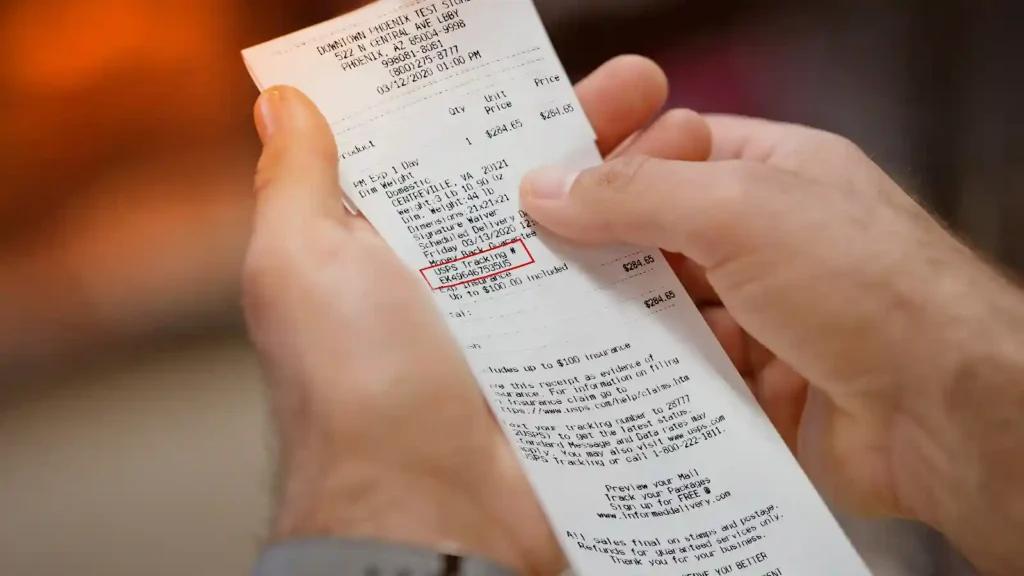
Self-Service Kiosk Receipt:
Self-Service Kiosk Receipt:
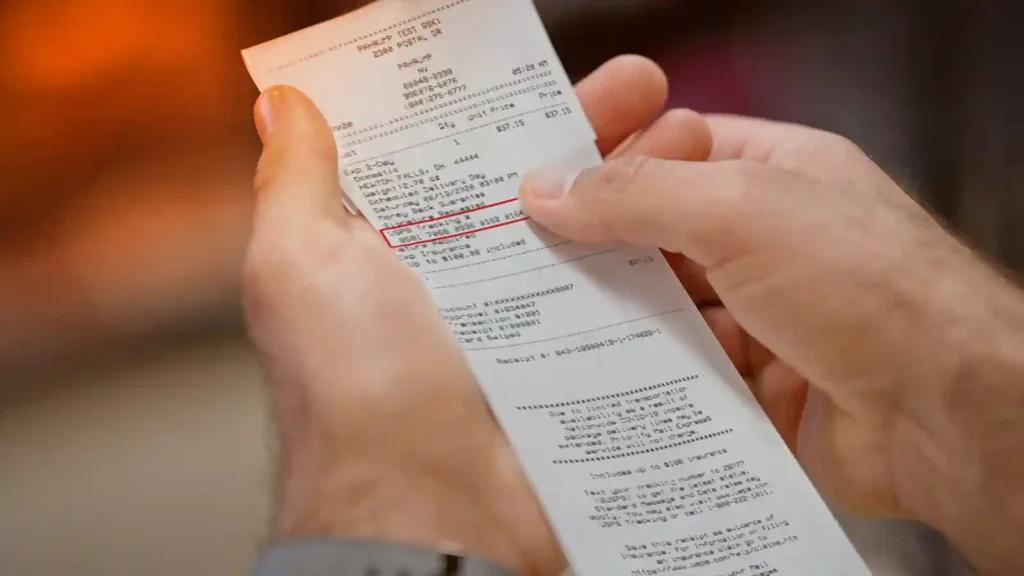
Email Receipt:
Email Receipt:

Return Receipt:
Return Receipt:
Insurance Under $500:
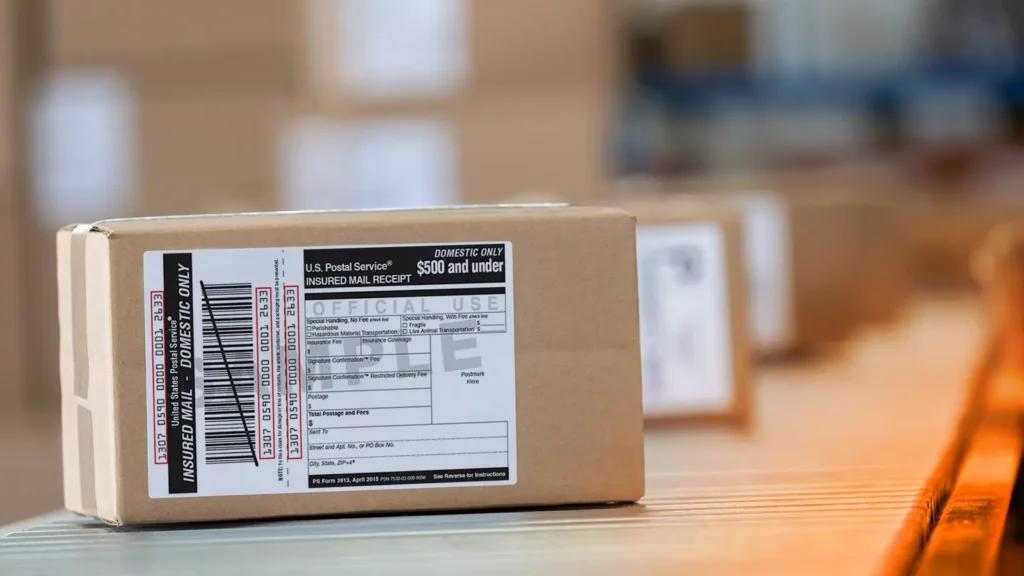
Insurance Under $500:
Insurance Over $500:
Insurance Over $500:

What Does the USPS Tracking Number Look Like?

The USPS Tracking number shows a series of numbers and sometimes letters. What they look like largely depends on the mail class or service.
For example, the tracking number for Priority Mail tracking looks different from Priority Mail Express and Priority Mail Express International.
The table below illustrates a more definitive way to identify USPS Tracking number samples for each corresponding postal service or product:
The USPS Tracking number shows a series of numbers and sometimes letters. What they look like largely depends on the mail class or service.
For example, the tracking number for Priority Mail tracking looks different from Priority Mail Express and Priority Mail Express International.
The table below illustrates a more definitive way to identify USPS Tracking number samples for each corresponding postal service or product:
Service
Service
Service
Service
Sample Number
Sample Number
Sample Number
Sample Number
Service
Service
Service
Service
Sample Number
Sample Number
Sample Number
Sample Number
ServiceSample NumberServiceSample Number
USPS Tracking
USPS Tracking
®
®
USPS Tracking®
9400 1000 0000 0000 0000 00
9400 1000 0000 0000 0000 00
9400 1000 0000 0000 0000 00
Priority Mail Express International
Priority Mail Express International
®
®
Priority Mail Express International®
EC 000 000 000 US
EC 000 000 000 US
EC 000 000 000 US
USPS Tracking®9400 1000 0000 0000 0000 00Priority Mail Express International®EC 000 000 000 US
Priority Mail
Priority Mail
®
®
Priority Mail®
9205 5000 0000 0000 0000 00
9205 5000 0000 0000 0000 00
9205 5000 0000 0000 0000 00
Priority Mail Express
Priority Mail Express
®
®
Priority Mail Express®
9270 1000 0000 0000 0000 00
9270 1000 0000 0000 0000 00
EA 000 000 000 US
EA 000 000 000 US
9270 1000 0000 0000 0000 00EA 000 000 000 US
Priority Mail®9205 5000 0000 0000 0000 00Priority Mail Express®9270 1000 0000 0000 0000 00EA 000 000 000 US
Certified Mail
Certified Mail
®
®
Certified Mail®
9407 3000 0000 0000 0000 00
9407 3000 0000 0000 0000 00
9407 3000 0000 0000 0000 00
Priority Mail International
Priority Mail International
®
®
Priority Mail International®
CP 000 000 000 US
CP 000 000 000 US
CP 000 000 000 US
Certified Mail®9407 3000 0000 0000 0000 00Priority Mail International®CP 000 000 000 US
Collect On Delivery Hold For Pickup
Collect On Delivery Hold For Pickup
Collect On Delivery Hold For Pickup
9303 3000 0000 0000 0000 00
9303 3000 0000 0000 0000 00
9303 3000 0000 0000 0000 00
Registered Mail™
Registered Mail™
Registered Mail™
9208 8000 0000 0000 0000 00
9208 8000 0000 0000 0000 00
9208 8000 0000 0000 0000 00
Collect On Delivery Hold For Pickup9303 3000 0000 0000 0000 00Registered Mail™9208 8000 0000 0000 0000 00
Global Express Guaranteed
Global Express Guaranteed
®
®
Global Express Guaranteed®
82 000 000 00
82 000 000 00
82 000 000 00
Signature Confirmation™
Signature Confirmation™
Signature Confirmation™
9202 1000 0000 0000 0000 00
9202 1000 0000 0000 0000 00
9202 1000 0000 0000 0000 00
Global Express Guaranteed®82 000 000 00Signature Confirmation™9202 1000 0000 0000 0000 00
ServiceSample NumberServiceSample NumberUSPS Tracking®9400 1000 0000 0000 0000 00Priority Mail Express International®EC 000 000 000 USPriority Mail®9205 5000 0000 0000 0000 00Priority Mail Express®9270 1000 0000 0000 0000 00EA 000 000 000 USCertified Mail®9407 3000 0000 0000 0000 00Priority Mail International®CP 000 000 000 USCollect On Delivery Hold For Pickup9303 3000 0000 0000 0000 00Registered Mail™9208 8000 0000 0000 0000 00Global Express Guaranteed®82 000 000 00Signature Confirmation™9202 1000 0000 0000 0000 00
ServiceSample NumberServiceSample NumberUSPS Tracking®9400 1000 0000 0000 0000 00Priority Mail Express International®EC 000 000 000 USPriority Mail®9205 5000 0000 0000 0000 00Priority Mail Express®9270 1000 0000 0000 0000 00EA 000 000 000 USCertified Mail®9407 3000 0000 0000 0000 00Priority Mail International®CP 000 000 000 USCollect On Delivery Hold For Pickup9303 3000 0000 0000 0000 00Registered Mail™9208 8000 0000 0000 0000 00Global Express Guaranteed®82 000 000 00Signature Confirmation™9202 1000 0000 0000 0000 00
Source:
Source:
https://tools.usps.com/go/TrackConfirmAction_input
https://tools.usps.com/go/TrackConfirmAction_input
https://tools.usps.com/go/TrackConfirmAction_input
Source: https://tools.usps.com/go/TrackConfirmAction_input
ServiceSample NumberServiceSample NumberUSPS Tracking®9400 1000 0000 0000 0000 00Priority Mail Express International®EC 000 000 000 USPriority Mail®9205 5000 0000 0000 0000 00Priority Mail Express®9270 1000 0000 0000 0000 00EA 000 000 000 USCertified Mail®9407 3000 0000 0000 0000 00Priority Mail International®CP 000 000 000 USCollect On Delivery Hold For Pickup9303 3000 0000 0000 0000 00Registered Mail™9208 8000 0000 0000 0000 00Global Express Guaranteed®82 000 000 00Signature Confirmation™9202 1000 0000 0000 0000 00Source: https://tools.usps.com/go/TrackConfirmAction_input
How to Use USPS Tracking

Armed with your USPS Tracking number, it’s time to learn how you can use that tracking number to know where your mail or package is:
Track Your Mail Online
Go to the USPS Tracking page. Type in the tracking number in the search bar provided. You can enter up to 35 tracking numbers.
The website shows you the mail or package’s latest status as well as its tracking history.
USPS Tracking Via Text
You can also access your tracking information by sending a text. Using your phone, send a message that contains the tracking number to 28777.
You’ll receive a reply from the postal service with the latest tracking information on your mail or package.
The tracking reply will typically look like this:
USPS <Tracking Number>, <Status>, <Date, time, and location>, <Instruction to stop receiving more messages>
Standard message and data rates may apply if you use this specific mail service.
Track Mail Via USPS Mobile App
Download the USPS Mobile app from the App Store or Google Play.
The app helps facilitate better tracking of your mail and packages, among other postal services.
USPS Tracking By Phone
You can also access tracking information using the good old telephone. You can connect with USPS by calling 1-800-275-8777.
Take note that their hours of operation are Monday to through Friday, 8 AM to 8:30 PM ET. On Saturdays, they’re available from 8 AM to 6 PM ET.:
Track Your Mail Online
Go to the USPS Tracking page. Type in the tracking number in the search bar provided. You can enter up to 35 tracking numbers.
The website shows you the mail or package’s latest status as well as its tracking history.
USPS Tracking Via Text
You can also access your tracking information by sending a text. Using your phone, send a message that contains the tracking number to 28777.
You’ll receive a reply from the postal service with the latest tracking information on your mail or package.
The tracking reply will typically look like this:
USPS <Tracking Number>, <Status>, <Date, time, and location>, <Instruction to stop receiving more messages>
Standard message and data rates may apply if you use this specific mail service.
Track Mail Via USPS Mobile App
Download the USPS Mobile app from the App Store or Google Play.
The app helps facilitate better tracking of your mail and packages, among other postal services.
USPS Tracking By Phone
You can also access tracking information using the good old telephone. You can connect with USPS by calling 1-800-275-8777.
Take note that their hours of operation are Monday to through Friday, 8 AM to 8:30 PM ET. On Saturdays, they’re available from 8 AM to 6 PM ET.:
Automatic USPS Tracking Notifications
You can receive automatic notifications of where your mail or packages are by setting it up on the USPS Tracking page:
Simply click on the “Text & Email Updates” link after typing in your tracking number. Follow the instructions to receive automatic tracking updates.
These notifications are only active for two weeks. Once the mail or item is delivered, the notifications will stop.
You can receive automatic notifications of where your mail or packages are by setting it up on the USPS Tracking page:
Simply click on the “Text & Email Updates” link after typing in your tracking number. Follow the instructions to receive automatic tracking updates.
These notifications are only active for two weeks. Once the mail or item is delivered, the notifications will stop.
What Do USPS Tracking Statuses Mean?
After typing in the tracking number and clicking enter on the USPS Tracking page, you’ll encounter any of the following statuses. Of course “Delivered” is your utmost desire, but it’s good to know what the other statuses also mean:
Preshipment
Under this tracking status, your mail or package has started its journey throughout the mailstream. In general, this status will show you that USPS is aware that your mail or package is about to enter their system, that a shipping label has been made, or that it’s been picked up by a shipping partner.
Accepted at Destination
An “Accepted at Destination” USPS Tracking status means that your mail or package has arrived at your local post office or facility.
In Transit
“In Transit” could mean several things. It may mean that your mail or package has arrived at your local post office, has departed from a USPS facility, has arrived at another facility, or may be delivered late on the day you expect it. In the case of international mail, your mail in transit may mean that it has departed from the U.S. Customs and is about to be sent out.
Out for Delivery
With an “Out for Delivery” status, you can expect to receive your mail or package within the day. Take note, however, that the delivery may be done by a different carrier than your usual. As such, the actual time of delivery may be different as well.
Delivered
This is the tracking status that you want to encounter when you access the tracking page or the USPS mobile app. A “Delivered” status means that the mail or package has reached its destination. Under this status, a sub-status may come up as well. If USPS Tracking says your mail has been “Picked Up,” it means that the recipient has picked up the mail item from their local post office.
If the status says “Delivered to an Agent,” it means that the mail item has been received by someone authorized to handle your mail. This can be someone in your residence, your apartment building’s manager, or your office’s front lobby personnel. It can also be a virtual mailbox operator who has been granted by the USPS to receive packages on your or your recipient’s behalf.
Delivery Attempted
Sometimes, deliveries don’t always go smoothly. A “Delivery Attempted” status indicates that the delivery was not successful. Here are some reasons why:
No Access to Delivery Location – The postal service staff could not get to your mailbox, porch, or garage. Perhaps there was a vehicle blocking your mailbox, or your dog was extra diligent about his guarding duties. Other reasons include not having access inside a gated community or a locked apartment building.
Notice Left (No Authorized Recipient Available) – For a package that needs signature confirmation, unsuccessful deliveries may be due to no one being available to sign for it.
Preshipment
Under this tracking status, your mail or package has started its journey throughout the mailstream. In general, this status will show you that USPS is aware that your mail or package is about to enter their system, that a shipping label has been made, or that it’s been picked up by a shipping partner.
Accepted at Destination
An “Accepted at Destination” USPS Tracking status means that your mail or package has arrived at your local post office or facility.
In Transit
“In Transit” could mean several things. It may mean that your mail or package has arrived at your local post office, has departed from a USPS facility, has arrived at another facility, or may be delivered late on the day you expect it. In the case of international mail, your mail in transit may mean that it has departed from the U.S. Customs and is about to be sent out.
Out for Delivery
With an “Out for Delivery” status, you can expect to receive your mail or package within the day. Take note, however, that the delivery may be done by a different carrier than your usual. As such, the actual time of delivery may be different as well.
Delivered
This is the tracking status that you want to encounter when you access the tracking page or the USPS mobile app. A “Delivered” status means that the mail or package has reached its destination. Under this status, a sub-status may come up as well. If USPS Tracking says your mail has been “Picked Up,” it means that the recipient has picked up the mail item from their local post office.
If the status says “Delivered to an Agent,” it means that the mail item has been received by someone authorized to handle your mail. This can be someone in your residence, your apartment building’s manager, or your office’s front lobby personnel. It can also be a virtual mailbox operator who has been granted by the USPS to receive packages on your or your recipient’s behalf.
Delivery Attempted
Sometimes, deliveries don’t always go smoothly. A “Delivery Attempted” status indicates that the delivery was not successful. Here are some reasons why:
No Access to Delivery Location – The postal service staff could not get to your mailbox, porch, or garage. Perhaps there was a vehicle blocking your mailbox, or your dog was extra diligent about his guarding duties. Other reasons include not having access inside a gated community or a locked apartment building.
Notice Left (No Authorized Recipient Available) – For a package that needs signature confirmation, unsuccessful deliveries may be due to no one being available to sign for it.
What To Do When USPS Tracking Status Is Not Updated

It’s human nature to want to check your mail status often. This is especially true if you bought an item that you’ve been wanting to get. However, abusing the USPS Tracking page or app search bar may lead to disappointment, since you may realize that the shipping status hasn’t changed since the last time you checked.
What should you do if the tracking information remains unchanged?
Check USPS Mail Expected Delivery Window
USPS mail types have different estimated delivery times. The following mail delivery standards list should tell you when to expect your mail or package:
Domestic Mail Classes Expected Delivery Windows
Priority Mail Express: 1 day or overnight
Priority Mail: 1 to 3 days
USPS Retail Ground: 2 to 8 days
Media Mail: 2 to 8 days
International Mail Classes Expected Delivery Windows
Priority Mail Express International: 3 to 5 days
Priority Mail: 6 to 10 days
Contact USPS Customer Service
If your mail or USPS package status still hasn’t changed for several days after the expected delivery windows stated above, it’s time to consider the next step, which is to submit a missing mail request. Typically, the recommended time to make this request is at least seven days from the date of mailing.
Check USPS Mail Expected Delivery Window
USPS mail types have different estimated delivery times. The following mail delivery standards list should tell you when to expect your mail or package:
Domestic Mail Classes Expected Delivery Windows
Priority Mail Express: 1 day or overnight
Priority Mail: 1 to 3 days
USPS Retail Ground: 2 to 8 days
Media Mail: 2 to 8 days
International Mail Classes Expected Delivery Windows
Priority Mail Express International: 3 to 5 days
Priority Mail: 6 to 10 days
Contact USPS Customer Service
If your mail or USPS package status still hasn’t changed for several days after the expected delivery windows stated above, it’s time to consider the next step, which is to submit a missing mail request. Typically, the recommended time to make this request is at least seven days from the date of mailing.
USPS Tracking Frequently Asked Questions (FAQs)
Does UPS Tracking Make Mail Go Faster?
No. USPS Tracking will not make your mail or package’s journey through the mailstream faster.
No. USPS Tracking will not make your mail or package’s journey through the mailstream faster.
How Do I Add USPS Tracking to My Mail?
You can purchase an Extra Service that includes USPS Tracking for mail classes that don’t typically come with this feature. Simply let the Post Office personnel know that you want to add USPS Tracking to your postage.
You can purchase an Extra Service that includes USPS Tracking for mail classes that don’t typically come with this feature. Simply let the Post Office personnel know that you want to add USPS Tracking to your postage.
Can I Track My Mail Without a Tracking Number?
This may be possible if you have other information, like the sender’s name and address. You can make inquiries from USPS Customer Support about needing assistance on this matter.
However, the best way to track your mail even without a tracking number is by opting for the Informed Delivery service. This is a free service that allows you to preview your mail, manage deliveries, and track mail or packages digitally. You can do this from the handy Informed Delivery dashboard.
This may be possible if you have other information, like the sender’s name and address. You can make inquiries from USPS Customer Support about needing assistance on this matter.
However, the best way to track your mail even without a tracking number is by opting for the Informed Delivery service. This is a free service that allows you to preview your mail, manage deliveries, and track mail or packages digitally. You can do this from the handy Informed Delivery dashboard.
What Should I Do to Avoid Unsuccessful Mail Deliveries?
To avoid seeing the “Delivery Attempted” status in your USPS Tracking search results, consider other ways to make successful deliveries easy for the carrier.
We recommend a virtual mailbox from a commercial mail receiving agency that’s authorized to receive mail or packages for you. This is especially useful for packages that require signature confirmation or if you wish to keep your mail pieces safe from porch pirates and mail thieves.
To avoid seeing the “Delivery Attempted” status in your USPS Tracking search results, consider other ways to make successful deliveries easy for the carrier.
We recommend a virtual mailbox from a commercial mail receiving agency that’s authorized to receive mail or packages for you. This is especially useful for packages that require signature confirmation or if you wish to keep your mail pieces safe from porch pirates and mail thieves.